AI Workflow Automation for Businesses ———————————— From Copy-Paste Chaos to an Operations OS
AI-powered workflows and an Operations OS your team actually understands—designed and implemented with you by BeUncommon 24-7.
✅ Done-with-you workflow design & automation✅ AI-assisted routing, tagging & summaries✅ 2–12 week sprints + 90-day Ops OS buildsWe advise local SBDC centers; no government endorsement implied.
Implementation sprints & 90-day Ops OS builds · Live Zoom strategy & build sessions.
From scattered tools to an AI-powered Operations OS that gives you visibility and control.
What you actually receive
We map your real processes, tools, and data flows—then design the workflows and automations that actually move the needle.
Short overview: how we go from messy stack to a working Operations OS.
Illustration: multi-step workflows, AI helpers, and dashboards wired into a single Operations OS.
Business-first automation, not random “zaps.” We start with your model, processes, and constraints—then design an operating system that fits your reality. Only after that do we reach for tools like Zapier, Make, and custom code.
What this looks like in practice: we map what’s really happening in your sales, ops, finance, and support; design target workflows; then build AI-powered automations with you on live calls. Your team sees how everything works, so they trust it and can own it.
Depending on the package, that can mean anything from your first 3 high-impact automations to a full 90-day Operations OS build with 20+ workflows, dashboards, and monitoring.
Automated workflows tailored to your stack (not a cookie-cutter setup)
Visual maps, SOPs, and Loom walkthroughs for each core process
Live implementation & training sessions via Zoom/Google Meet
Monitoring & optimizations so you’re not left alone when something changes
Automation sprints & 90-day Ops OS
Start with a focused implementation sprint or go straight to a full Operations OS build. All options include live Zoom/Google Meet sessions, documentation, and a monitoring window so automations launch cleanly.
AI-assisted tagging, routing, drafting, and summaries
Error logging & alerts
3–4 live sessions (design, mid-build demo, final handoff)
Process diagrams & SOPs
60 days monitoring & optimization
Best for: multi-team businesses replacing 5–10 manual processes with AI-powered workflows in about 6 weeks.
Flagship
Ops OS Build — 90-Day Operations OS
What’s included
9–20+ workflows across sales, ops, finance, support, and marketing
Mix of Zapier, Make, and custom code as needed
Dashboards for automation performance & key metrics
6+ live stakeholder sessions (mapping, approvals, training)
Full documentation (maps, SOPs, Looms)
90 days monitoring & optimization
Best for: leaders who want the equivalent of a senior automation hire—without adding a full-time $120K+ salary.
How these sprints & Ops OS builds work
Essentials Automation Sprint: up to 3 workflows across ≤3 systems + 2 implementation calls and 30-day monitoring.
Growth Automation Sprint: 4–8 workflows across 3–5 platforms + 3–4 live sessions, AI components, and 60-day monitoring.
Ops OS Build (90-Day Operations OS): 9–20+ workflows across departments with dashboards, 6+ live sessions, and 90 days of optimization.
*Pricing is project-based. All options include live calls, documentation, and a monitoring window.
How & where we deliver
Delivered remotely for speed—secure access to workflows, dashboards, and live Zoom working sessions.
Everything is delivered remotely for speed and flexibility. We meet via Zoom or Google Meet, share screens, map your workflows, and build automations together. You’ll receive secure access to documentation, diagrams, and dashboards as they’re completed.
Based in California’s Central Valley and serving clients nationwide, we use Calendly so you can choose the advisor and times that fit your schedule.
FREE toolkit
FREE AI Ops Starter Kit (workflow prompts & quick-win automations)
Quick-start checklist, “never copy/paste this again” prompts, and 90-day workflow prioritization guide.
Two quick steps. Tailored to your biggest bottleneck.
Check your inbox: we’ve sent your tailored AI Ops Starter Kit.
Tip: start with 1–3 workflows that are wasting the most time. We’ll email suggestions on how to prioritize them.
Meet Your Advisors
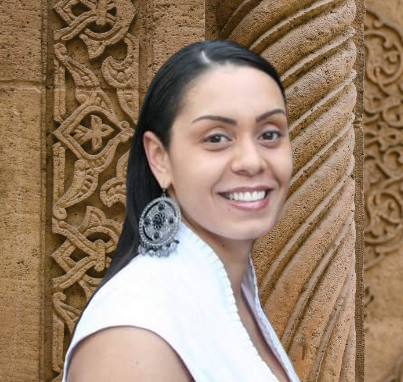
Kelly Morris, MBA — Co-Founder
Master’s in Business Administration · 18+ years entrepreneurial · 8+ years business consulting. Independent Advisor, Valley Community SBDC (Clovis, CA). Pictured with the Mayor of Clovis, Vong Mouanoutoua. Kelly helps owners translate messy operations into clear workflows and automation-ready processes. No government endorsement implied.
Korey Morris — CEO
15+ years entrepreneurial · 8+ years business consulting. Independent Advisor, UC Merced SBDC. Director, PEARLS of Compassion nonprofit. Korey blends marketing funnels, automation, and operations so every workflow ties back to revenue and client experience. BeUncommon 24-7 is an independent advisor to local SBDC centers; not a federal endorsement.
How we go from chaos to workflows that stick
1) Map & Prioritize
We audit your stack, map real processes, and pick the highest-ROI workflows.
2) Design Workflows
We design target workflows that your team can actually follow.
3) Build & Test Live
We implement automations with you on Zoom, test edge cases, and add AI helpers.
4) Train & Monitor
Your team gets SOPs, Looms, and a monitoring window so nothing goes dark.
Real founders. Real systems. Real outcomes.
★★★★★ (Google)
“$50K+ in new business after we stopped leaking leads.”
Individual results vary. These quotes reflect each client’s experience and the impact of tighter systems, automation, and strategy.
FAQs
Who is this for?
Owners and ops leaders who are done with manual patchwork and want an operations layer that feels calm, visible, and scalable. We work with local and online businesses, service-based agencies, and teams that want systems—not more hacks.
What tools do you work with?
We work with the tools you already use—CRMs, email platforms, helpdesks, billing, project tools, chat, and more. Behind the scenes, we use platforms like Zapier, Make, and custom code where it makes sense, but the focus stays on your workflows and outcomes, not the tech buzzwords.
How long does this take?
Essentials Sprints typically run 2–3 weeks. Growth Sprints are about 6 weeks. Ops OS Builds run ~90 days. Timelines depend on scope, your team’s responsiveness, and any approvals or compliance steps we need to respect.
How involved does my team need to be?
You’ll join live Zoom sessions for mapping, approvals, and training. Between calls, we do the heavy lifting. Most teams spend 1–2 hours per week during active implementation.
What happens if an automation breaks?
Each package includes a monitoring window (30, 60, or 90 days depending on scope). We add logging and basic alerts so we can see where things fail. During your monitoring window, we fix issues related to the workflows we built. For peace of mind beyond that, we offer Automation Care Plans.
Is this secure?
We follow least-access principles: role-based accounts, admin invites where possible, and no sharing of personal passwords. If you have internal IT/security policies, we’re happy to work within those as we get access to tools and data.
Do you offer refunds?
Because this is hands-on, custom work, we don’t offer blanket refunds. Instead, we scope clearly up front, keep you involved on live calls, and make adjustments inside the agreed scope so you’re never surprised by what’s being built.
Build an operations layer your future self will thank you for.
Get out of copy-paste hell, stop losing opportunities in the cracks between tools, and give your team an AI-powered Operations OS that feels calm and in control.
We bring SBDC-honored consulting and real-world automation experience to every project. No government endorsement implied.